Intro to Photography – Image Quality
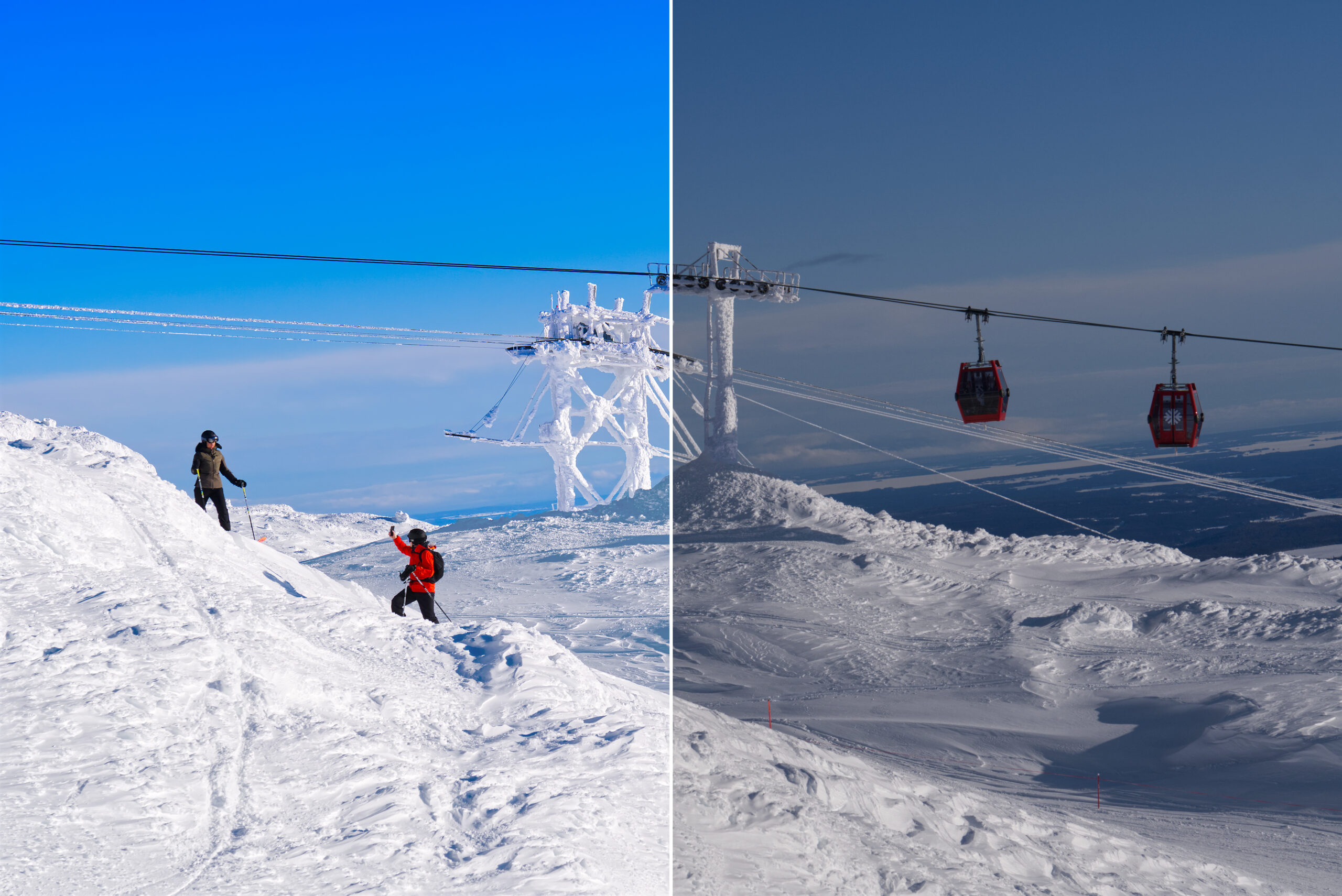
A RAW file is the uncompressed and unprocessed image data captured by a digital camera or scanner’s sensors. Shooting in RAW captures a high level of image detail, with large file sizes and lossless quality. The direct image data means you start with a high-quality image that can be edited, converted, and compressed in a non-destructive manner.
Advantages of RAW files.
- Great detail.
The main advantage of RAW files is that they contain the most detail compared to other raster and vector file types. This gives you a lot more to work with when editing photos. - Wide color range.
RAW files can contain millions more colors than a JPEG image, plus increased RGB tonal values. - Lossless compression.
This ensures that the quality of your RAW image files won’t drop due to compression. - Greater control.
With RAW files, you have the power to make any kind of adjustment, such as converting a black and white RAW file to color and modifying brightness, contrast, and gamma correction, all without changing the RAW image itself. - Converting potential.
Try merging RAW files to form HDR or panoramic images you can then edit.
Disadvantages of RAW files.
- Large size.
Their size can require both additional camera and computer storage space. - Format compatibility issues.
RAW files aren’t standardized, so some software can’t read the files from certain cameras. - Processing requirements.
It can add time to convert the RAW file into a raster image file for both print and online. - Sharing restrictions.
You need to convert RAW files before sharing them with people who don’t have the appropriate software. - Longer workflows.
Due to the larger file sizes, conversions, and having at least two files for each image (the original RAW and converted raster file), it can take longer to work with RAW files.
FAQ – RAW files
How do I open a RAW file?
To open a RAW file, you need image editing software such as Adobe Photoshop or Adobe Lightroom.
How do you convert RAW files to JPEG?
To convert a RAW file to a JPEG image file, open your RAW file in your chosen editing software. From there, export it as a new JPEG image file.
Is RAW the best image quality?
RAW files are the highest-quality files available for shooting and saving, as they contain the most detail. There’s no compression or conversion.
Why should I shoot in RAW?
You can capture a lot more detail if you shoot in RAW, since RAW files contain everything that passes through your camera’s image sensor.